

Build lovable products
Try Aha! software for free
© 2026 Aha! Labs Inc. • All rights reserved
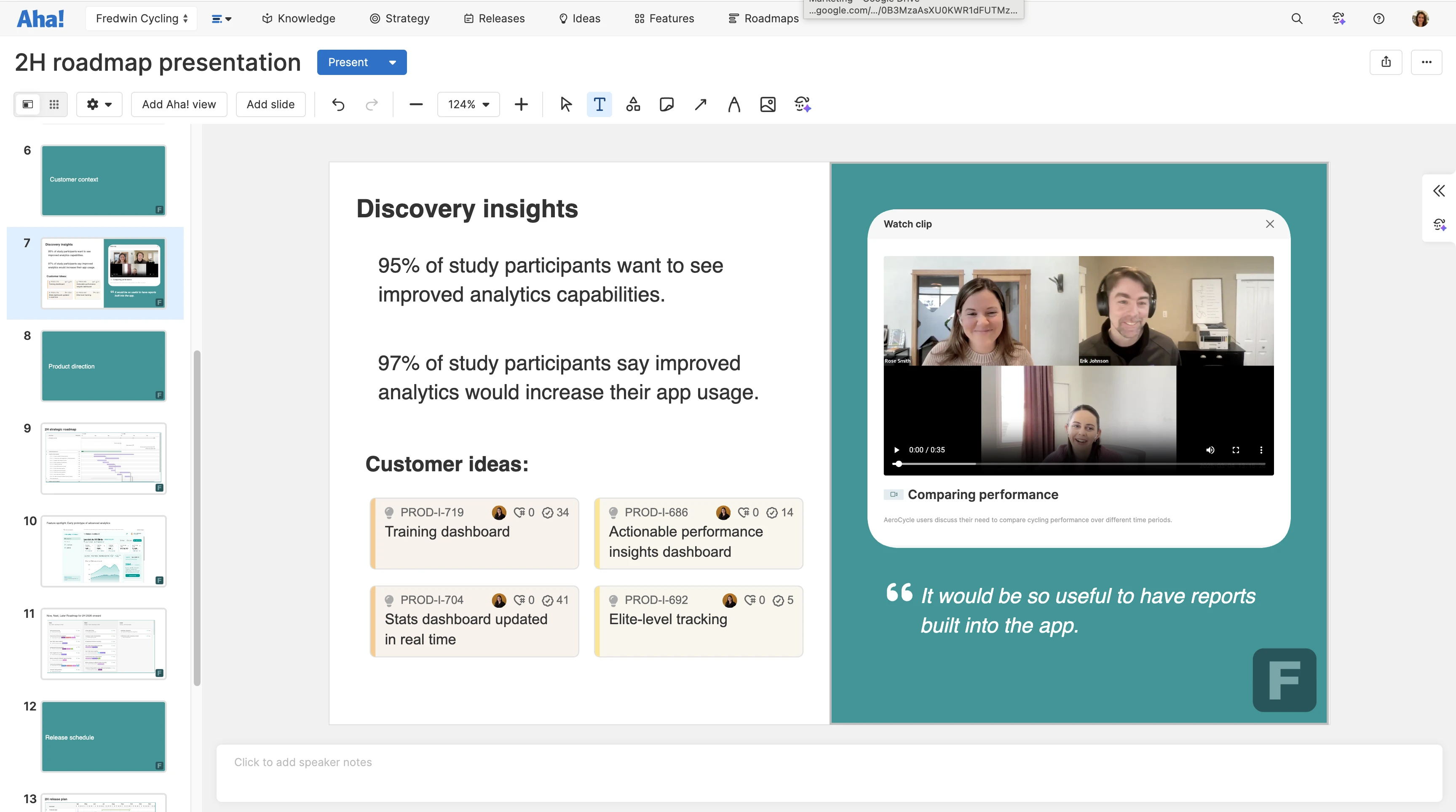
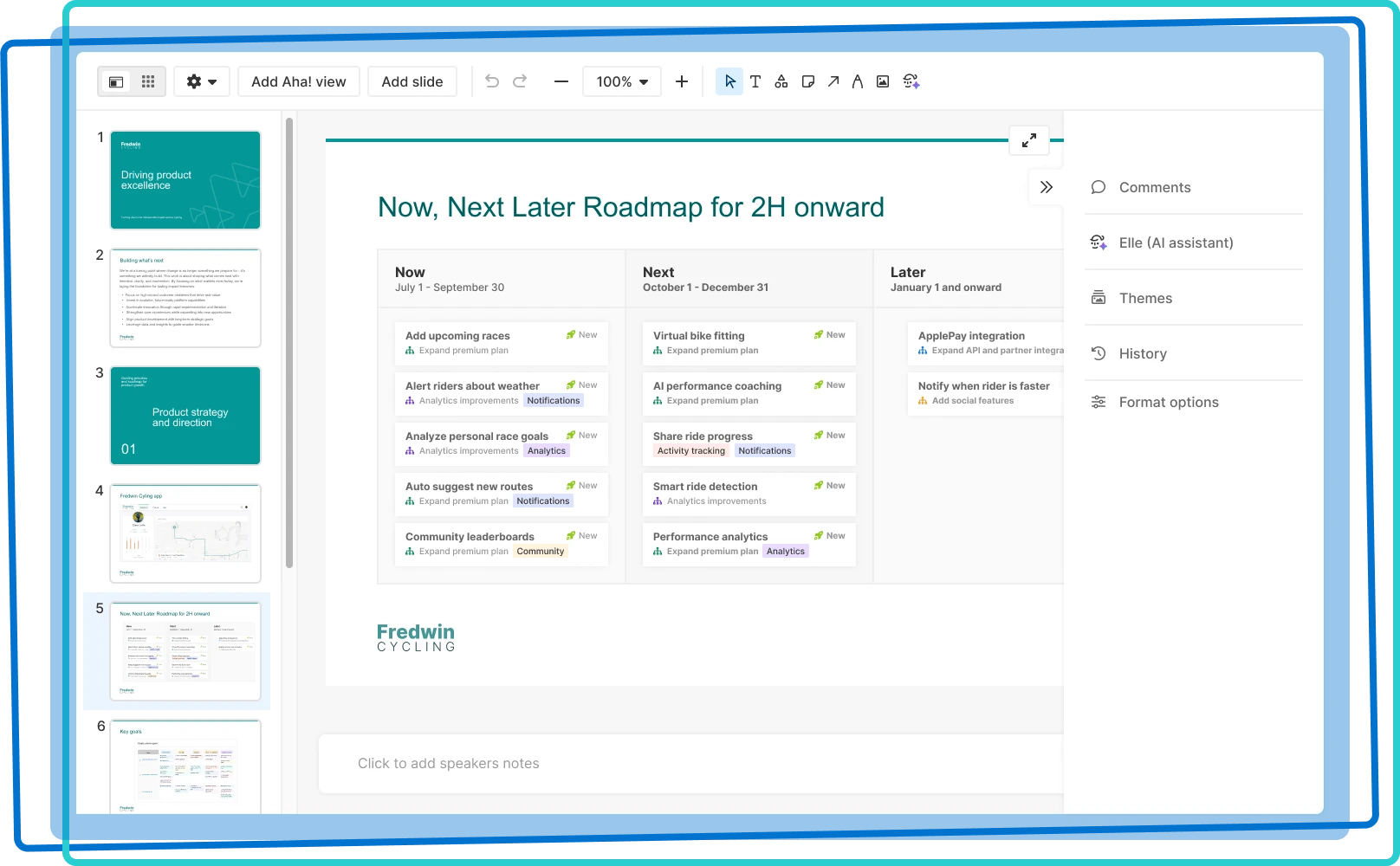
Bring your roadmap story to life with images, shapes, Aha! record cards, timelines, and even custom designs. Annotate directly on Aha! views to draw attention to important details. Rich formatting options let you fine-tune how information is presented. Now, your slides are as sharp as the strategy behind them.
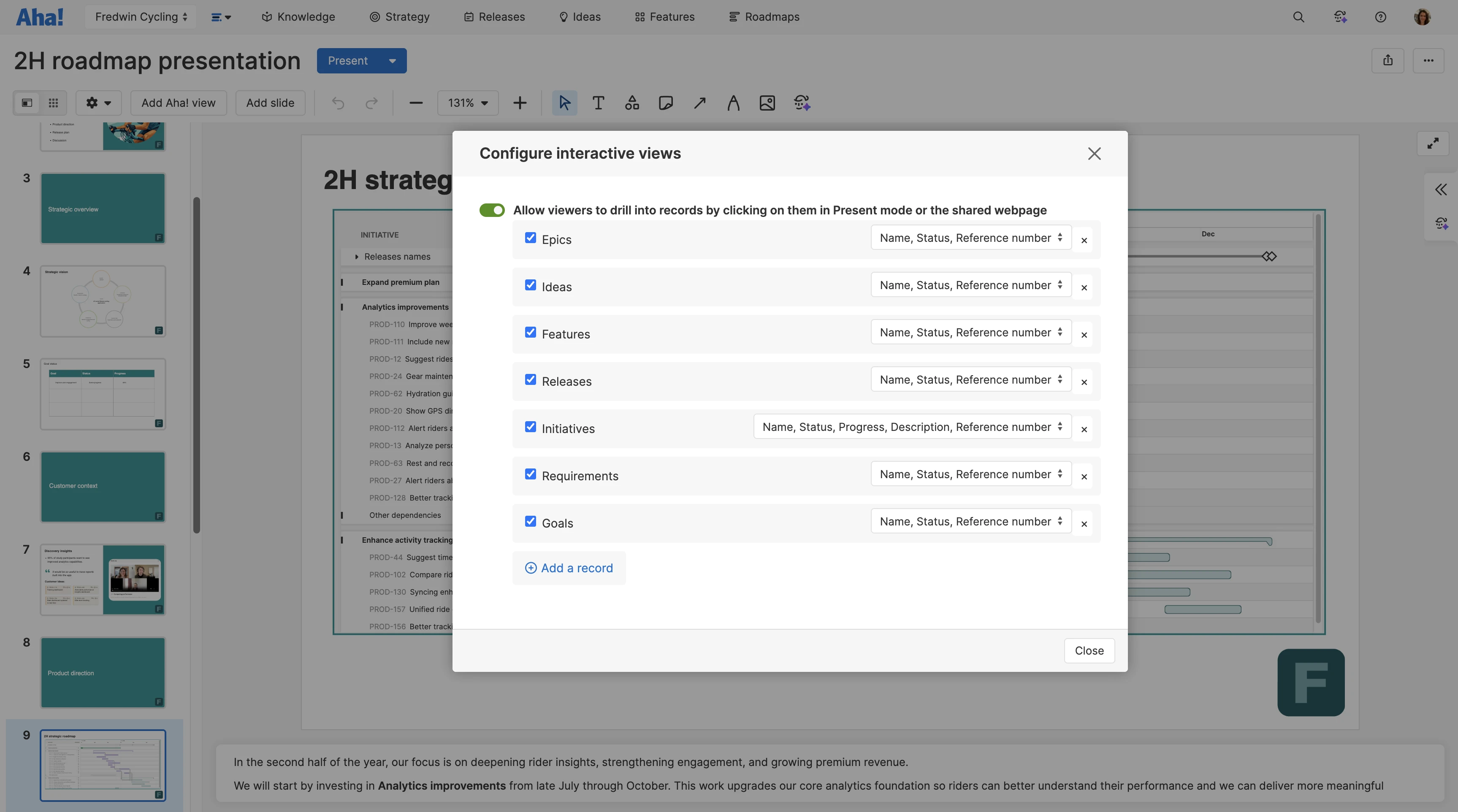
Quickly create engaging roadmap presentations. Take nearly any Aha! view — such as your vision, personas, roadmaps, and reports — and add it to a slide. No more worrying about version control: Choose whether the views you share are snapshots from a point in time or have them automatically update when plans change. You can even make your roadmap and report visualizations interactive so everyone can access rich details about the work.
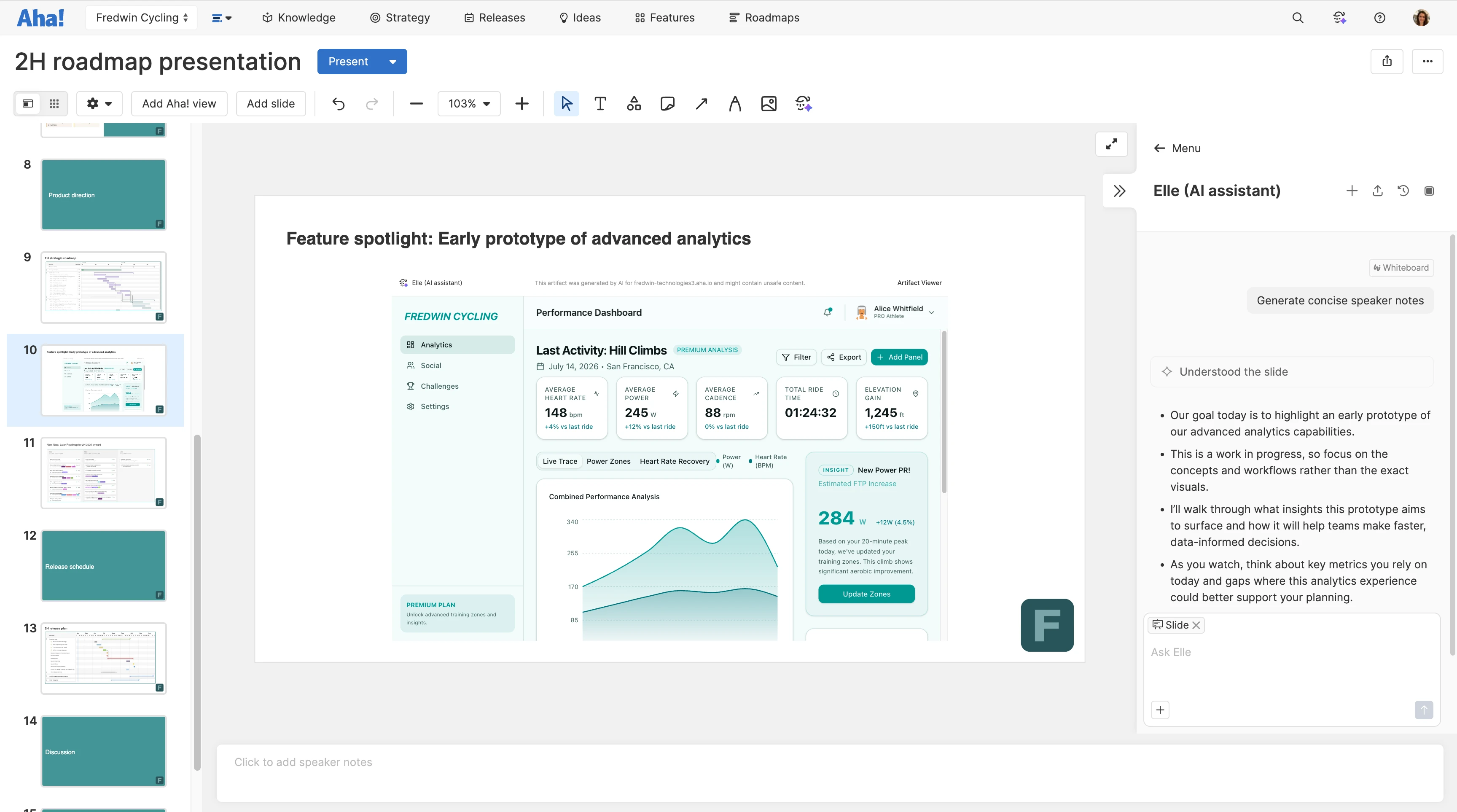
Use Elle, our AI assistant, to create and format content. Easily reference records, planning views, and notes from your Aha! workspace to guide the output. Elle can even generate prototypes, add images or diagrams, and write speaker notes directly from your slide content. It is the closest thing to having a collaborator in the room while you build.
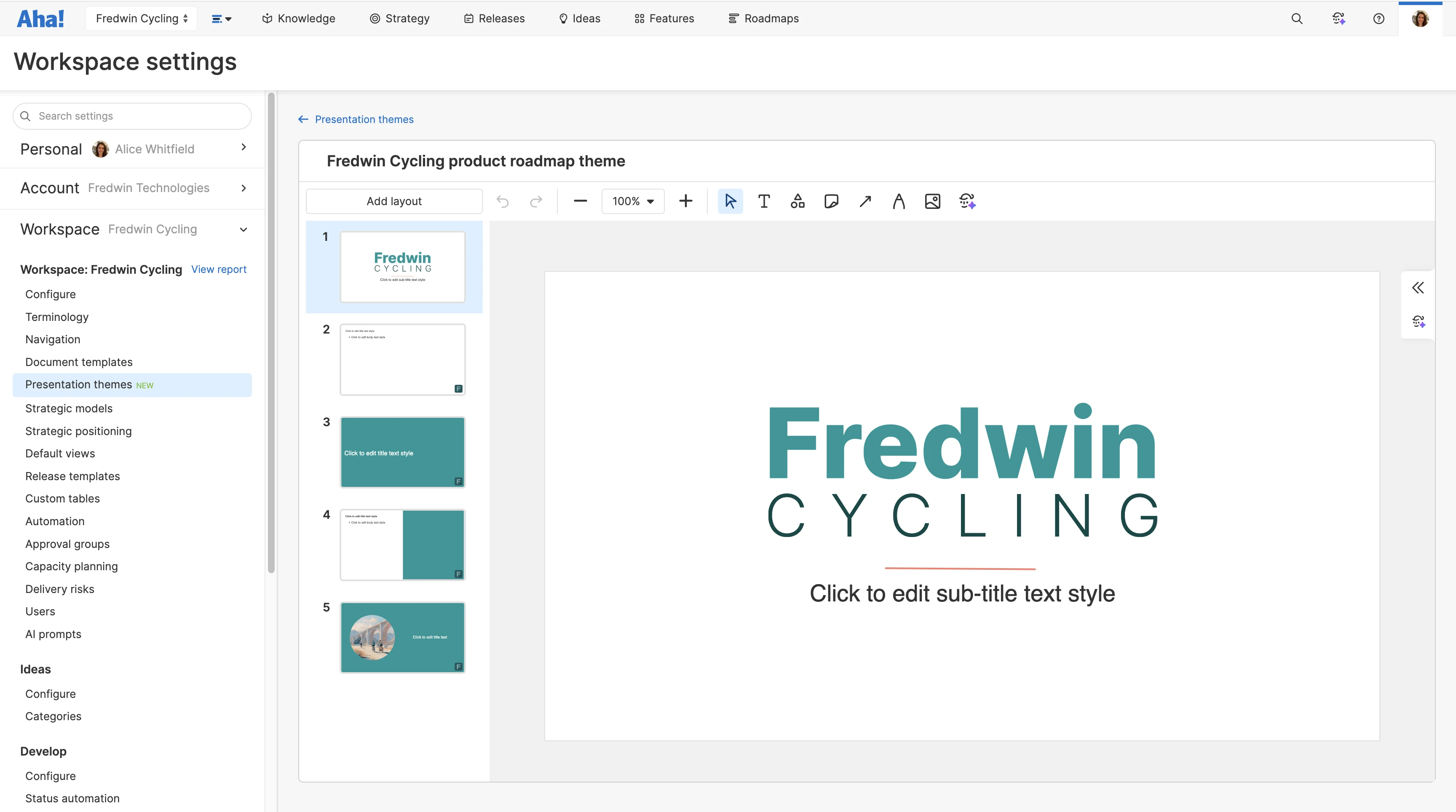
Build presentations that match your corporate identity. Create a custom theme with multiple layouts. Choose a font, set a background color, and insert header and footer content to match your company's style guidelines. You can add as many themes as you would like and share them internally to bring consistency to your team's presentations.
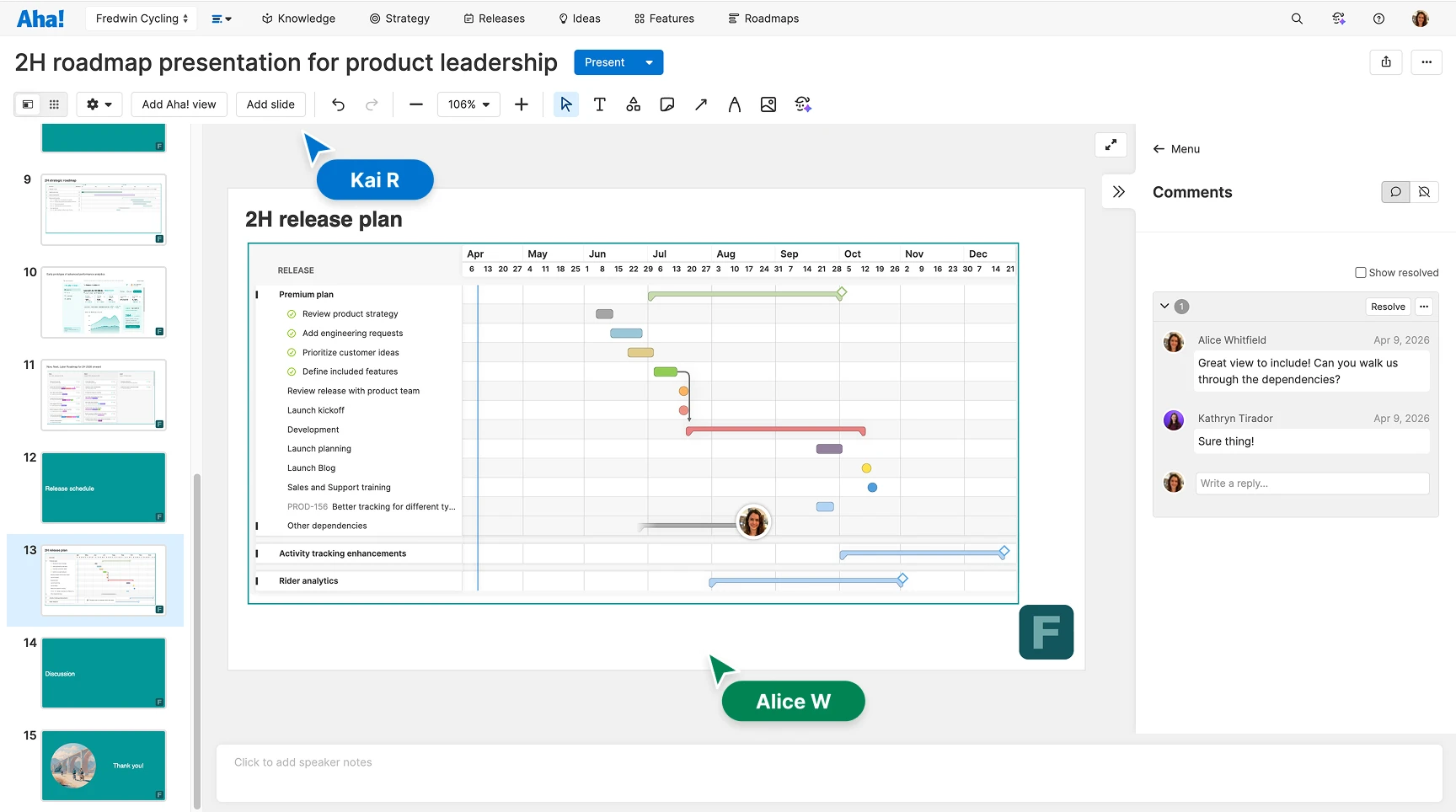
Delivering great work is a team effort. Invite your colleagues to provide input and help you build a well-rounded presentation. They can edit simultaneously for faster iteration and comment directly on slides for contextual feedback. You can assign to-dos to streamline the approval process and keep track of previous versions.
Showtime. When you are ready to deliver your presentation, switch to presenter view and click through each slide in full. Add speaker notes and use the timer to stay on track. When questions come up, open any referenced record directly from the slide to pull up details without leaving the presentation. Share the deck afterward as a PDF or live interactive webpage — password controls and single sign-on help manage who has access.