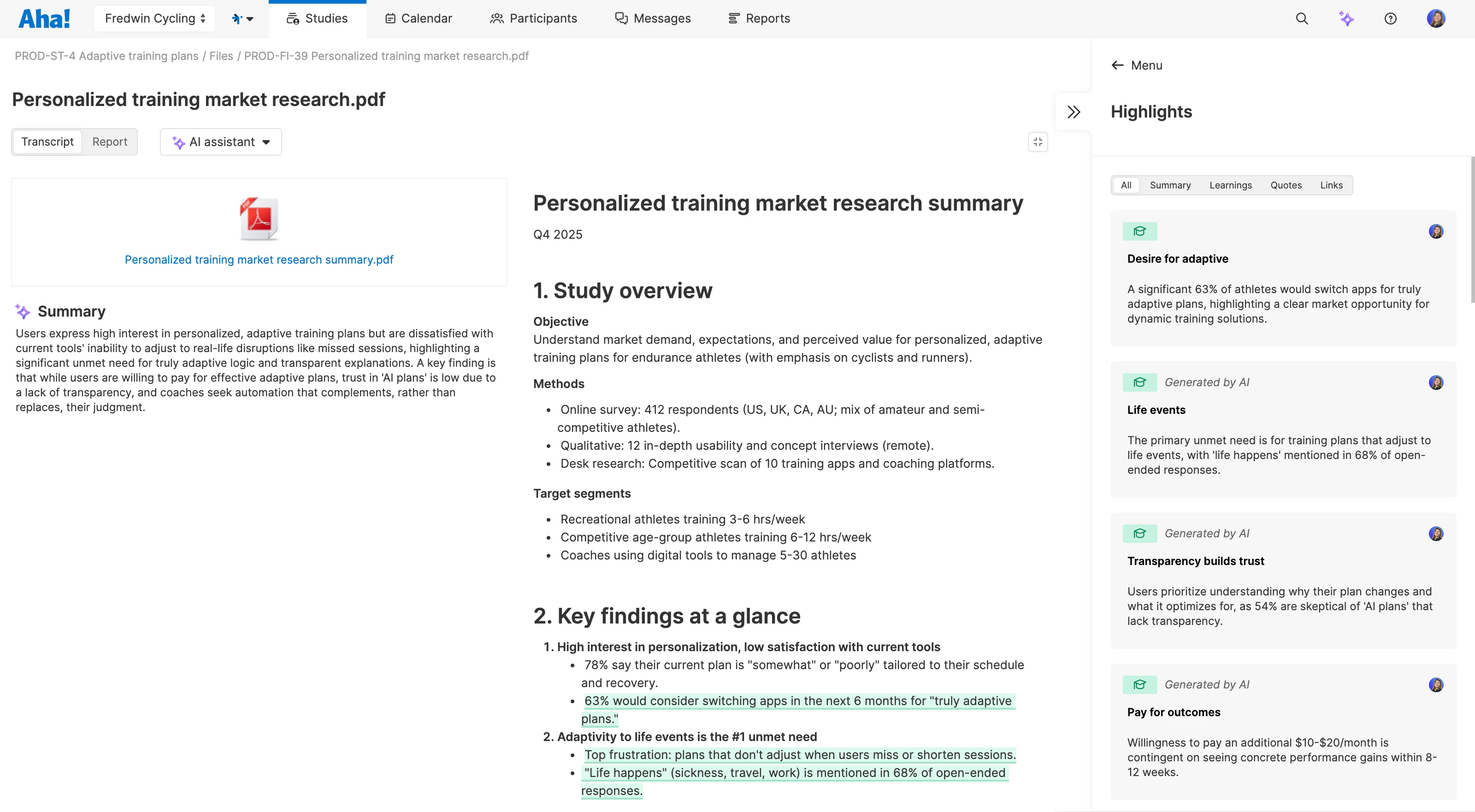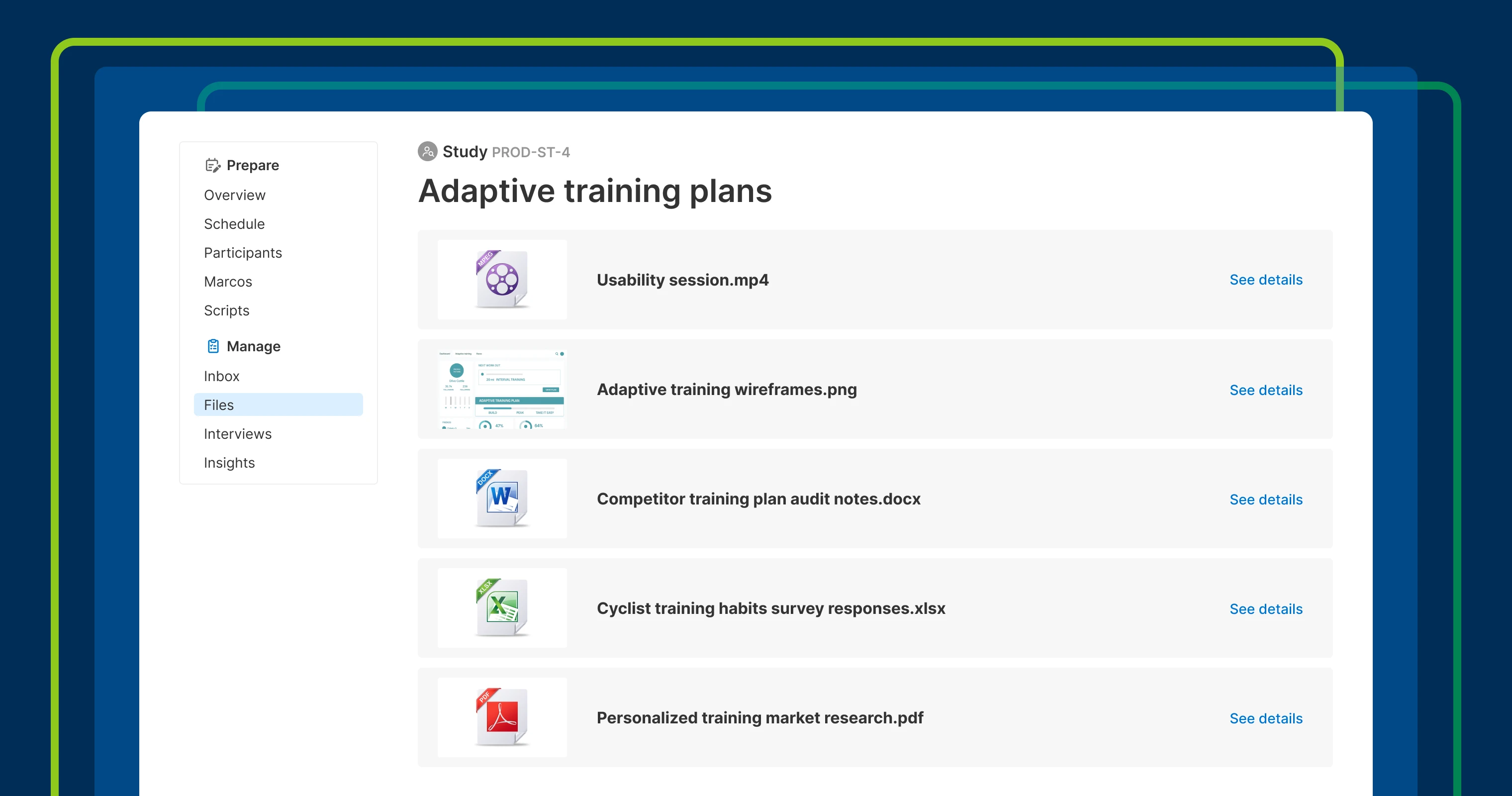
Multiple research file types stored and analyzed in an Aha! Discovery study
Store all your customer research in Aha! Discovery


Interviews tell you what customers say. Surveys show patterns at scale. Usability tests reveal where people struggle. Each format gives you something different. Aha! Discovery brings them all together — so you can store and analyze them in one place.
Now, you can upload any research file to a study in Aha! Discovery and use AI to surface findings for your roadmap.
Centralize your research
Aha! Discovery helps you capture and analyze customer interviews. You can upload call recordings, generate transcripts, and highlight key takeaways with AI. But interviews are just one way to uncover customer insights — you have other research, too. You could already add those files to the Documents tab in Aha! Discovery, but you can now do so much more to organize and analyze them.
Starting today, you will see a new Files tab in each study. Upload a variety of file types (including audio recordings, PDFs, Word documents, spreadsheets, and images). Add notes to capture context and highlight important details. If you use Aha! Discovery Advanced, ask the AI assistant to extract text and analyze it. Then link what you learn to ideas, features, or other records in Aha! Roadmaps to keep the path from discovery to decision clear.
Here is what you can do:
Store all research artifacts together: Upload surveys, reports, recordings, and other documents to a single study.
Bulk upload multiple files: Add large research sets all at once to speed up analysis.
Extract text from documents: Convert your PDF to text so you can analyze it with AI.
Highlight key learnings: Identify insights (manually or with help from the AI assistant) and add them to an insights report.
Connect findings to product plans: Link highlights to related records to keep roadmap decisions traceable.
Bring all your research files together to get a complete view of customer needs.
The ability to upload files to research studies is available for all Aha! Discovery customers. AI analysis and transcription are available for customers on the Aha! Discovery Advanced plan.
Let's take a look at our new file storage and analysis capabilities:
How to get started
Open a study in Aha! Discovery or create a new one.
Select the Files tab from the left-side menu.
Drag and drop one or more files into the Upload files area.
Extract text from documents for AI analysis.
Capture highlights from extracted text (or notes you add manually) and use the AI assistant for deeper analysis.
📚 For more details, read the full support article.
Pull your research findings together in an insights report. Then, share it with teammates and stakeholders so everyone can see the customer evidence that guides your next steps. If you use Aha! Discovery alongside Aha! Roadmaps, you can connect the report to personas, initiatives, and more — so customer insights stay at the center of your plans.
Start a free trial of Aha! Discovery
Aha! Discovery is the new way to manage customer interviews, uncover key product insights, and link them to your roadmap. Sign up for a free 30-day trial or join a live demo to see why more than 1 million product builders trust our software to build lovable products and be happy doing it. Contact us if you are interested in trying Aha! Discovery in your Aha! Roadmaps or Aha! Ideas account to validate your plans with customer sentiment.