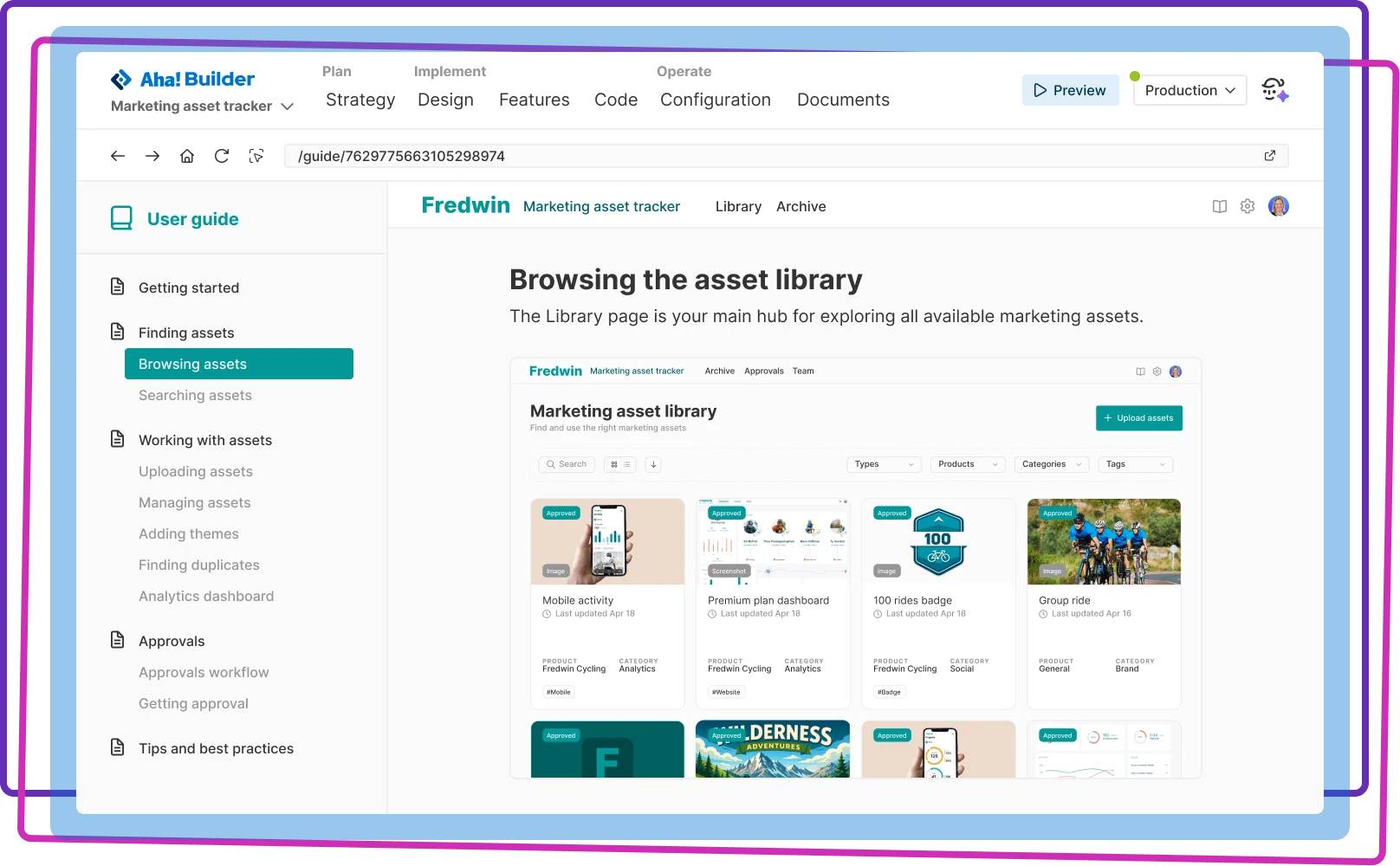

Auto-generate support documentation
Use AI to instantly document key capabilities and workflows so users get the most value from your application
Use AI to instantly document key capabilities and workflows so users get the most value from your application

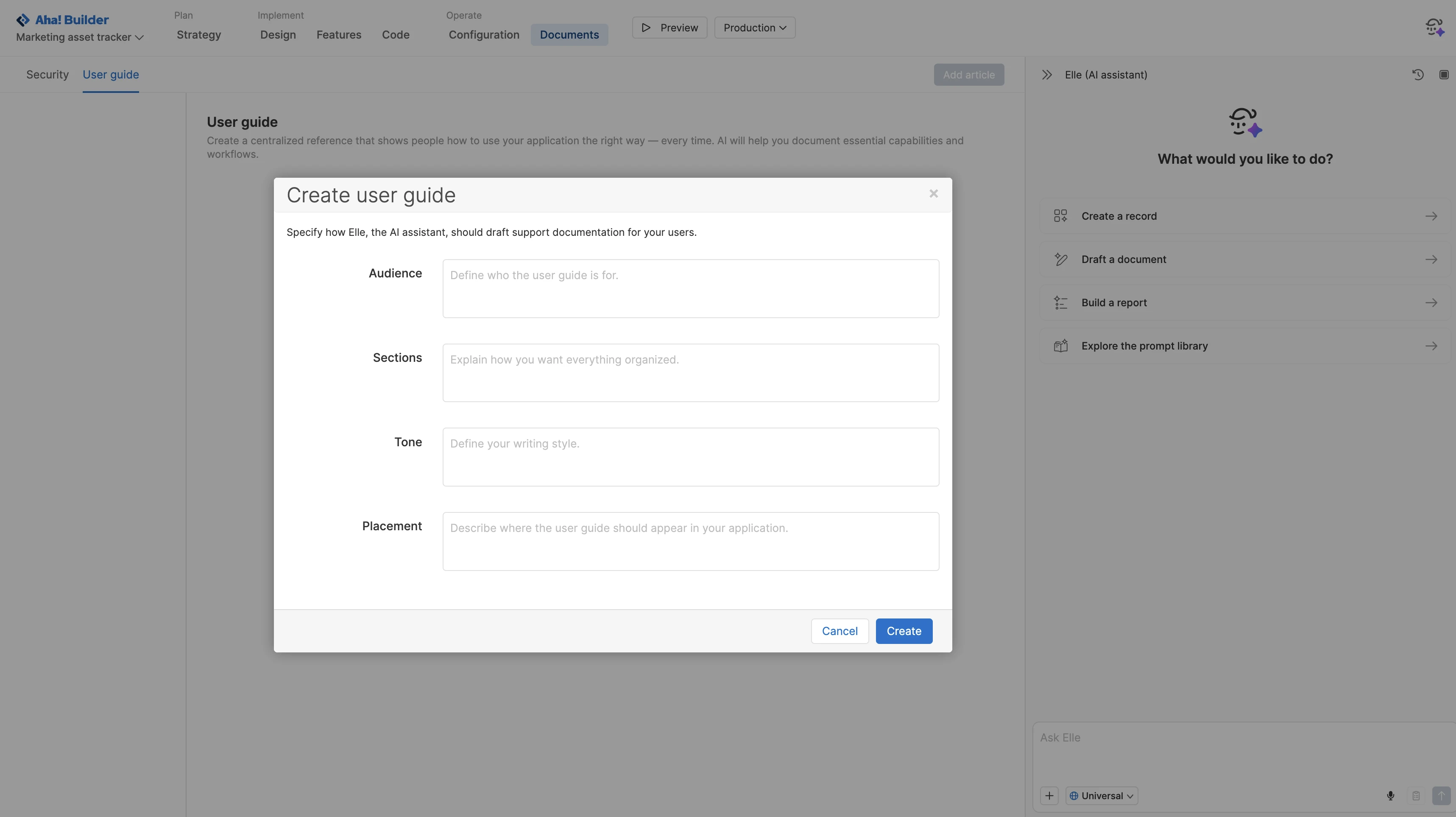
Walk people through how to use your application. Use Elle, the AI assistant, to draft support articles that describe essential capabilities and workflows. Provide details about the audience, tone, and sections to guide the output. Specify where you want the guide to show in your application so users can easily find the support resources they need.
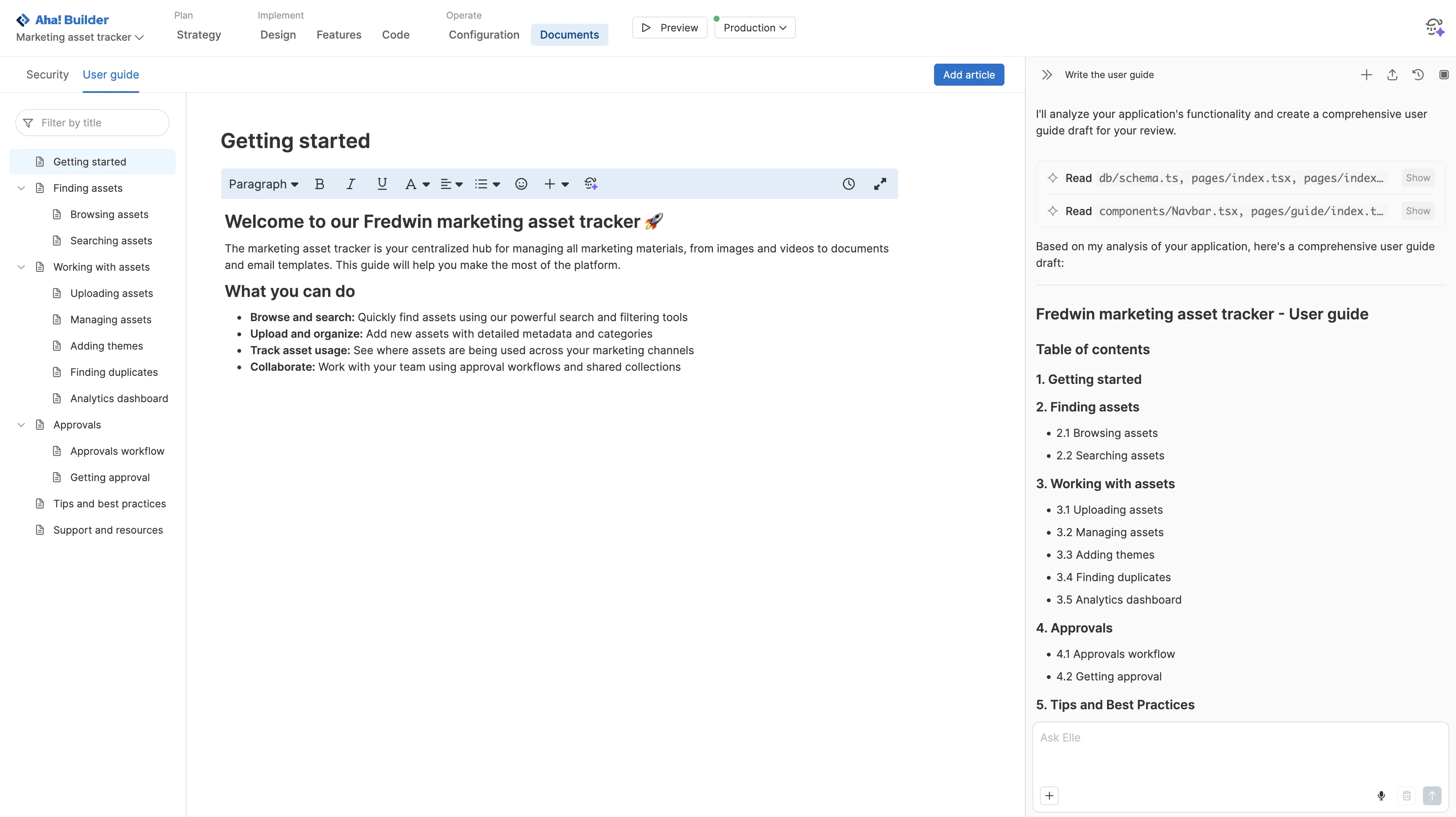
Let Elle handle the heavy lifting. The AI assistant analyzes each section of your application and assembles a comprehensive user guide with a clear structure. Each article includes step-by-step instructions and screenshots. From there, easily add, reorder, or remove articles to organize the guide around what users need to accomplish.
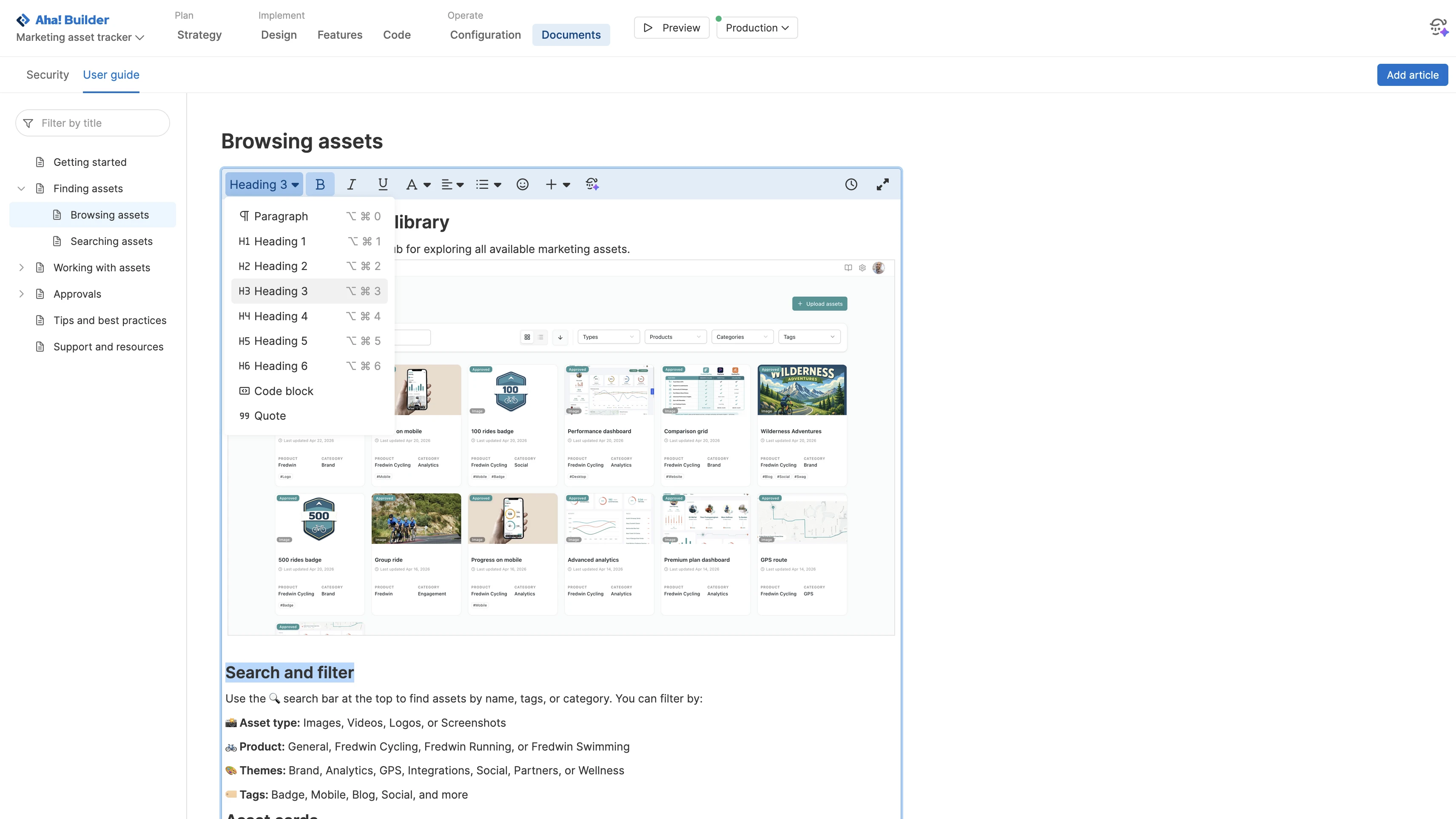
Make every article on-brand and easy to read. Ask Elle to tighten wording and clarify steps as you refine the draft. Use the Aha! text editor to apply headings, colors, and other formatting to reflect your editorial standards. Well-crafted documentation improves the overall user experience — helping people navigate your application with confidence.
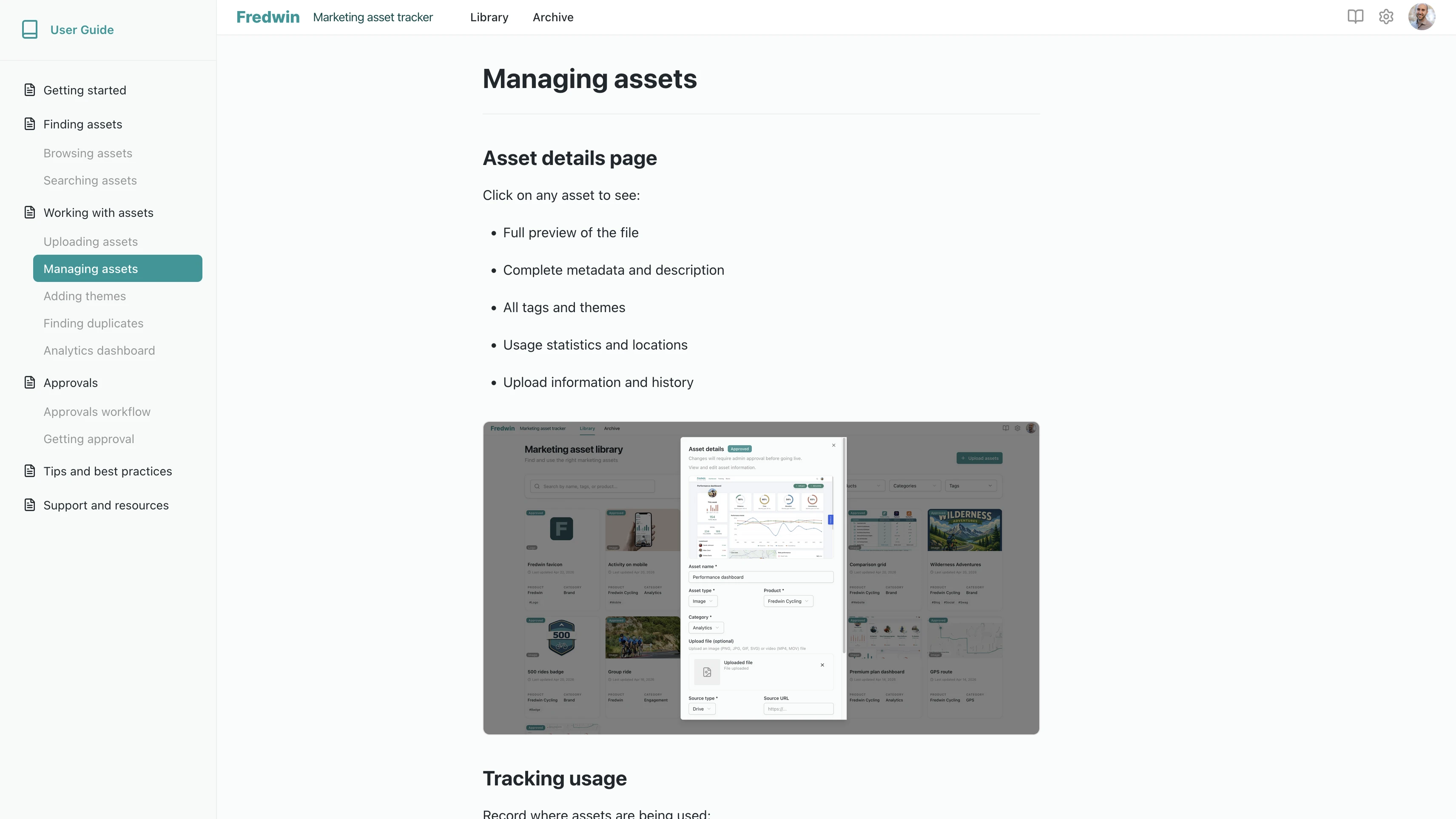
Preview the guide in your application to see how users will experience it. Refine links, layout, and language while viewing the guide alongside real workflows. Any updates you make are reflected instantly. When everything looks right, deploy to production so guidance is available as people start using the application.
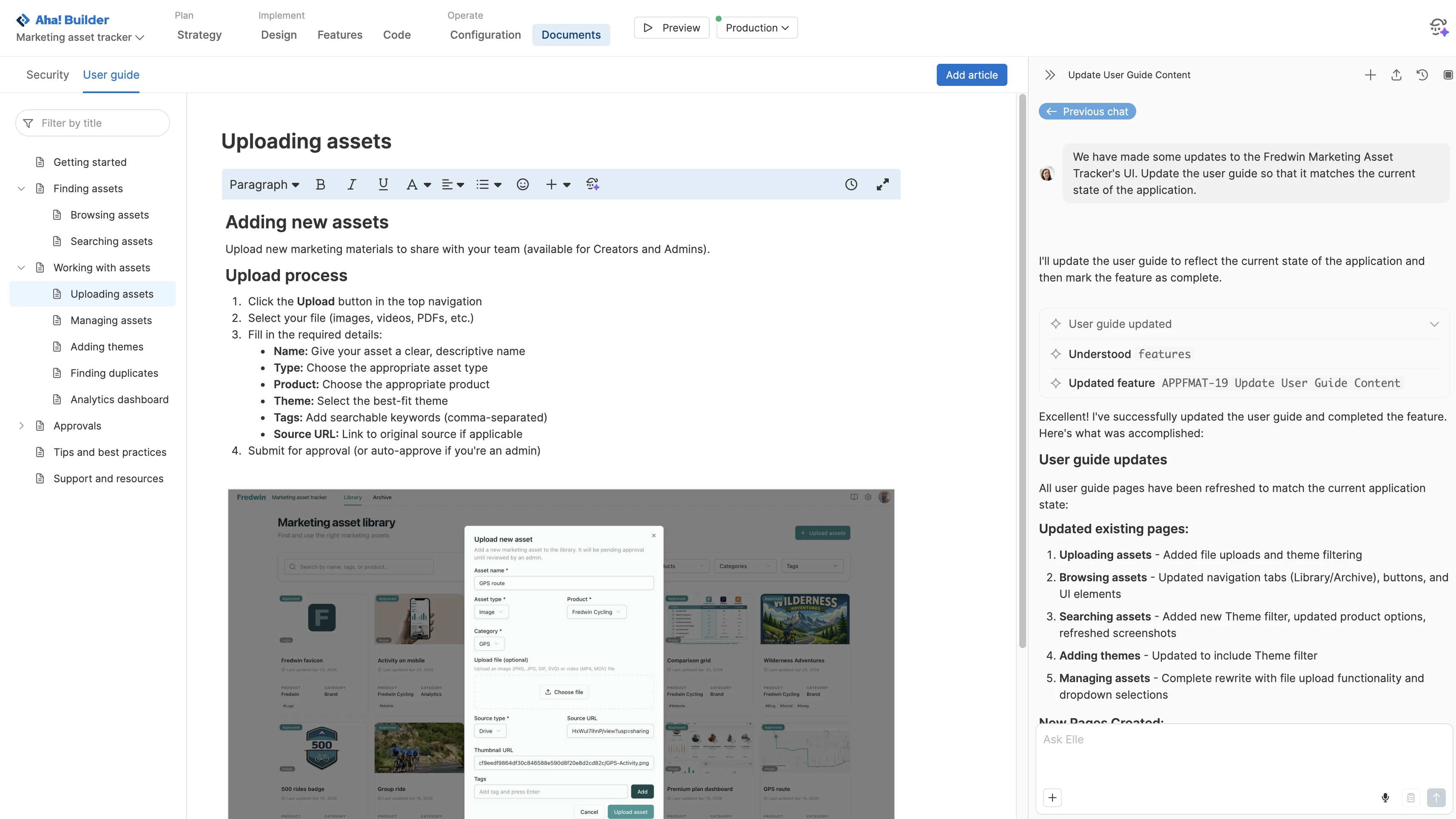
Ensure your user guide remains accurate as your application evolves. Add articles for new functionality and revise existing content as workflows change. Ask Elle to refresh explanations and add examples based on user feedback. Review and publish revisions so users always see the latest information.