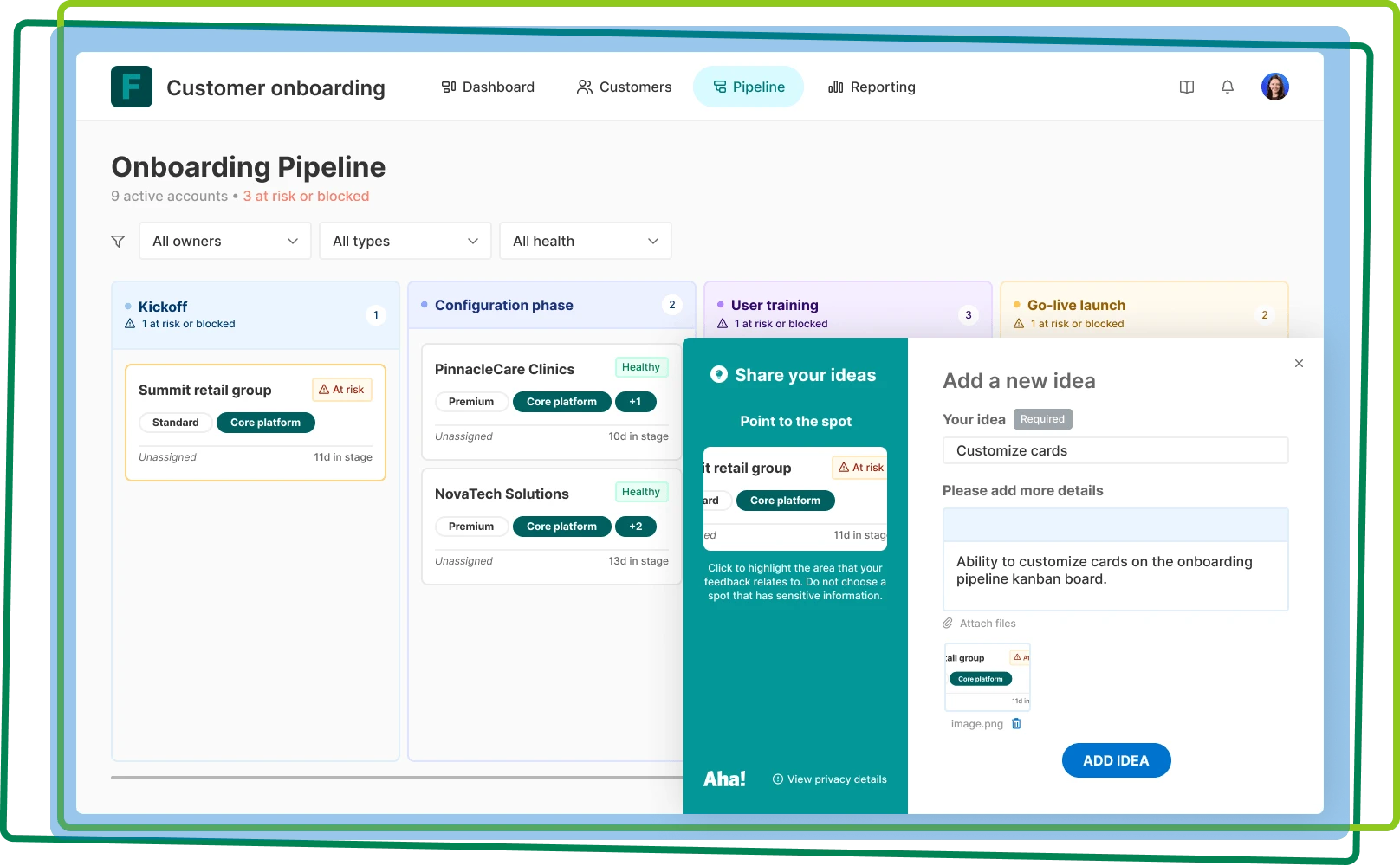

Capture ideas in your application
Add the feedback widget to gather ideas and improve what you built
Add the feedback widget to gather ideas and improve what you built

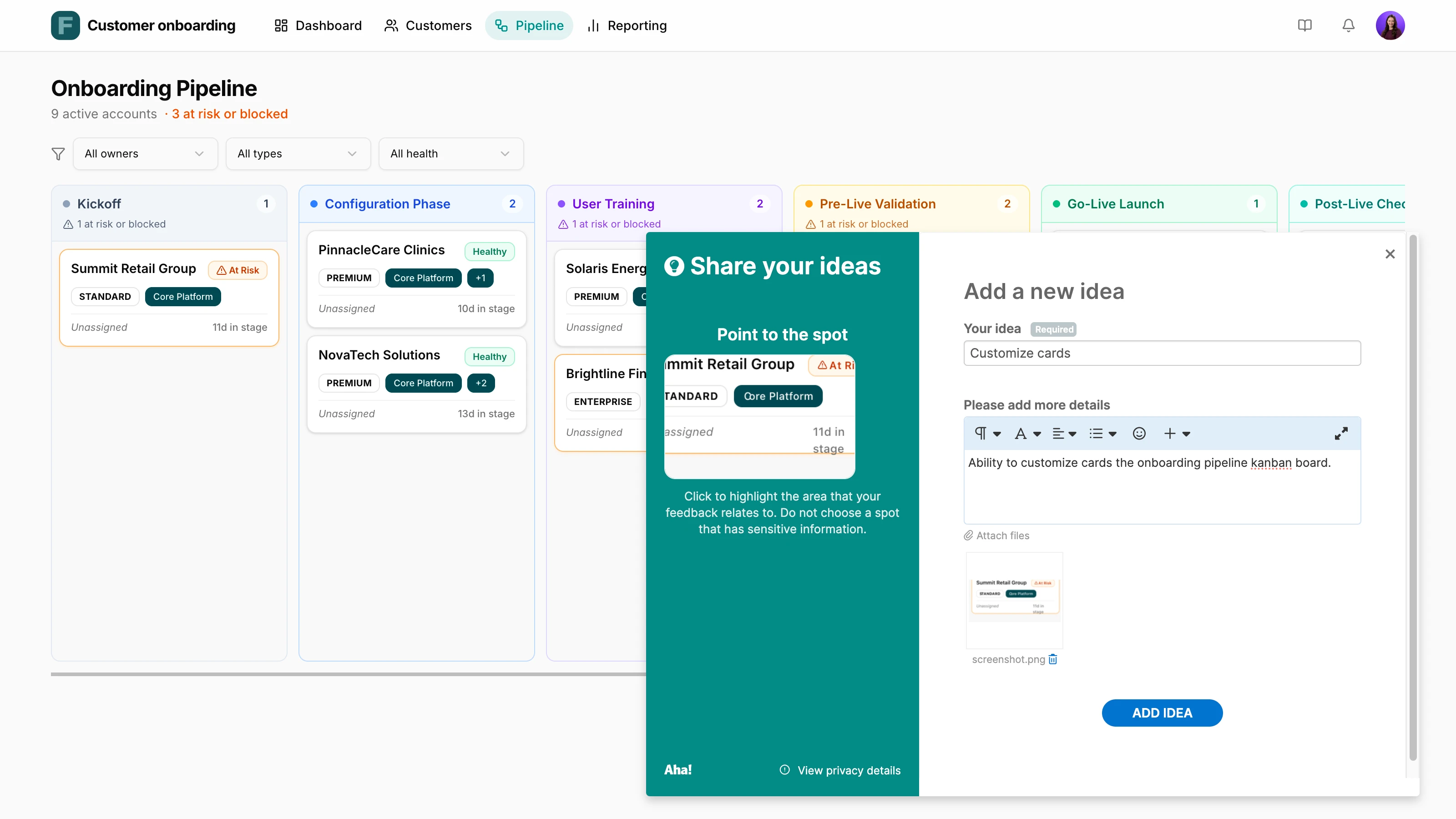
Keep your users at the forefront of every decision. Embed a custom-branded feedback widget in prototypes and applications to find out what customers think of the new experience. Or stream feedback directly into your ideas portal. This establishes an efficient feedback cycle to build what users actually want.
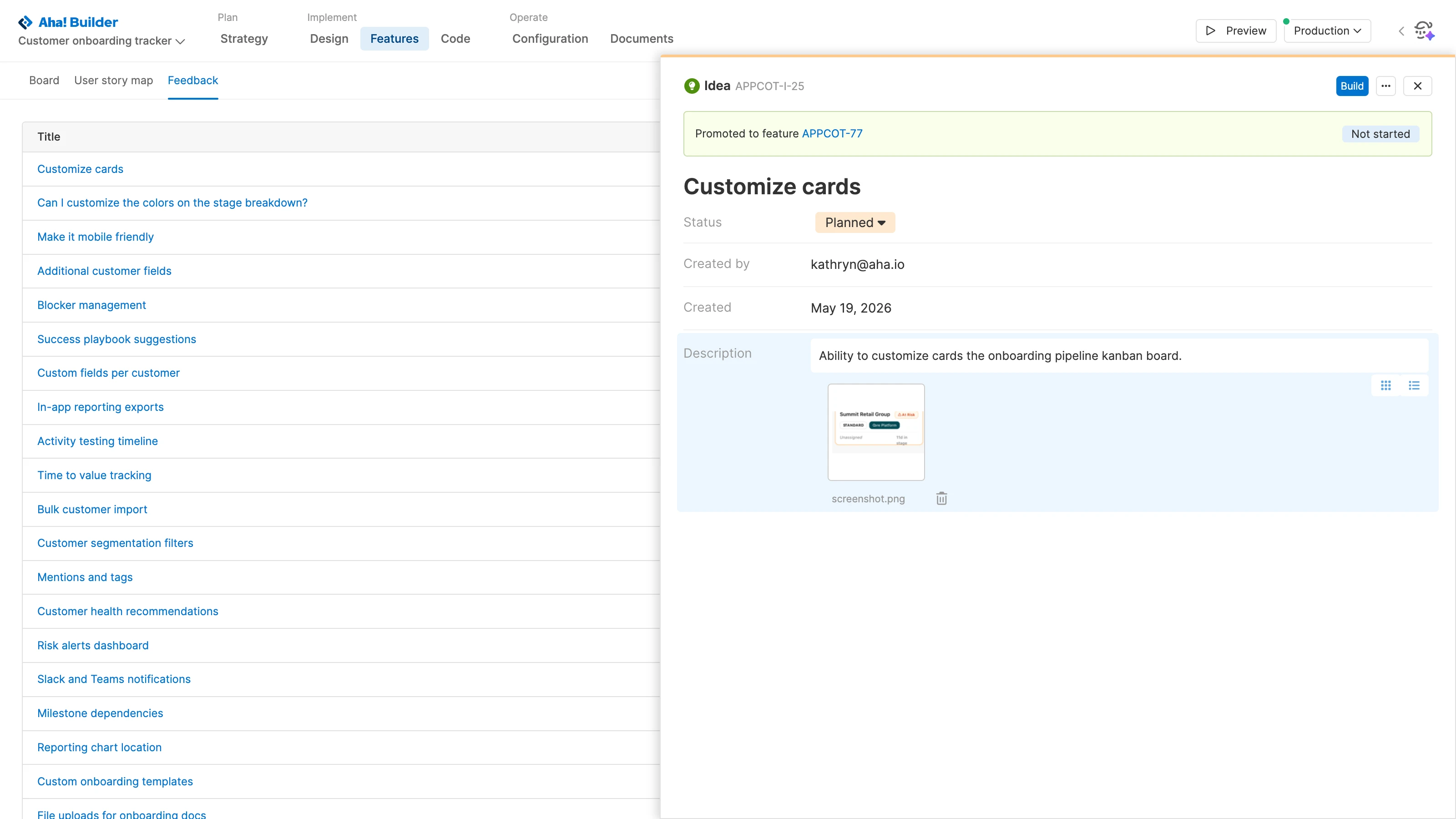
Manage all requests in the Feedback tab and add new ideas as you go. Determine which suggestions are worth acting on — and which ones are not. Update the status of each idea to reflect your decision. Then, promote the top ideas directly to features for implementation.
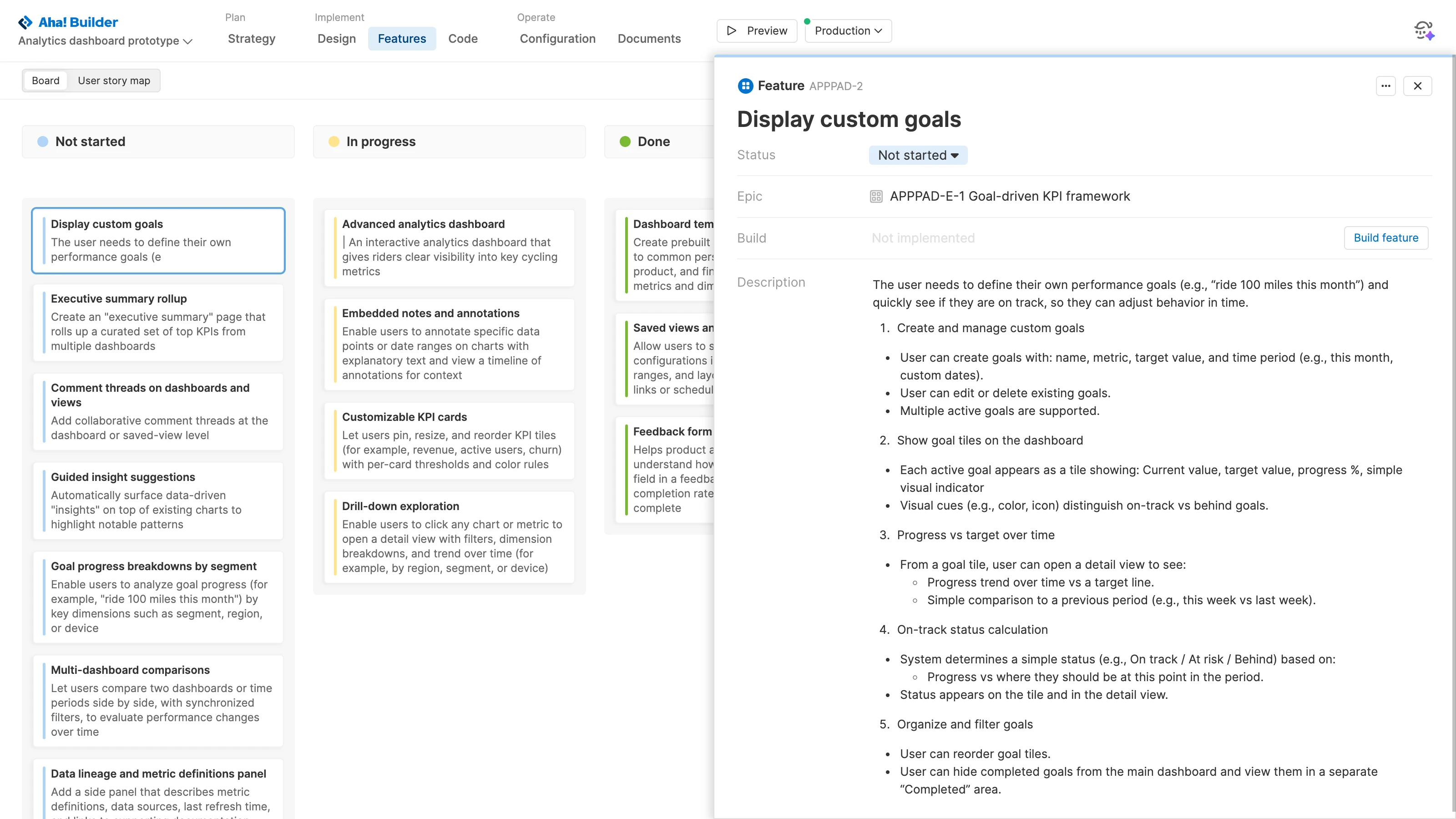
Refine the feature description. Clarify what the user needs to accomplish and how the new feature will help them do this. This gives Elle, the AI assistant, crucial context to implement new functionality. You can also ask Elle to suggest new features and add them to the features board.
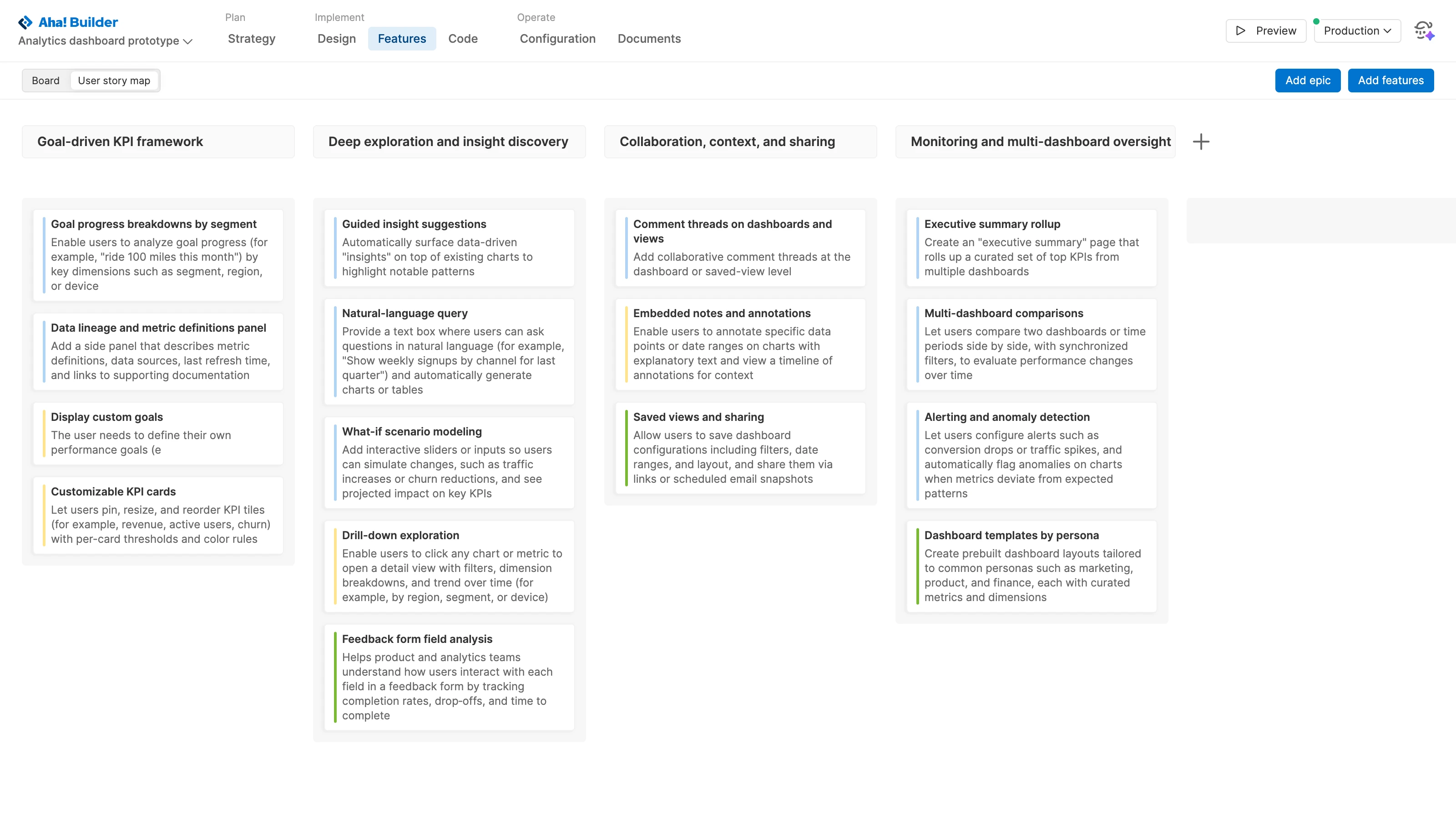
Think through what you are building from the user's perspective. Map out the user journey, adding epics and features to represent the key actions. This helps you design more intuitive prototypes and applications, identify gaps in the flow, and prioritize opportunities for improvement to deliver a truly lovable experience.
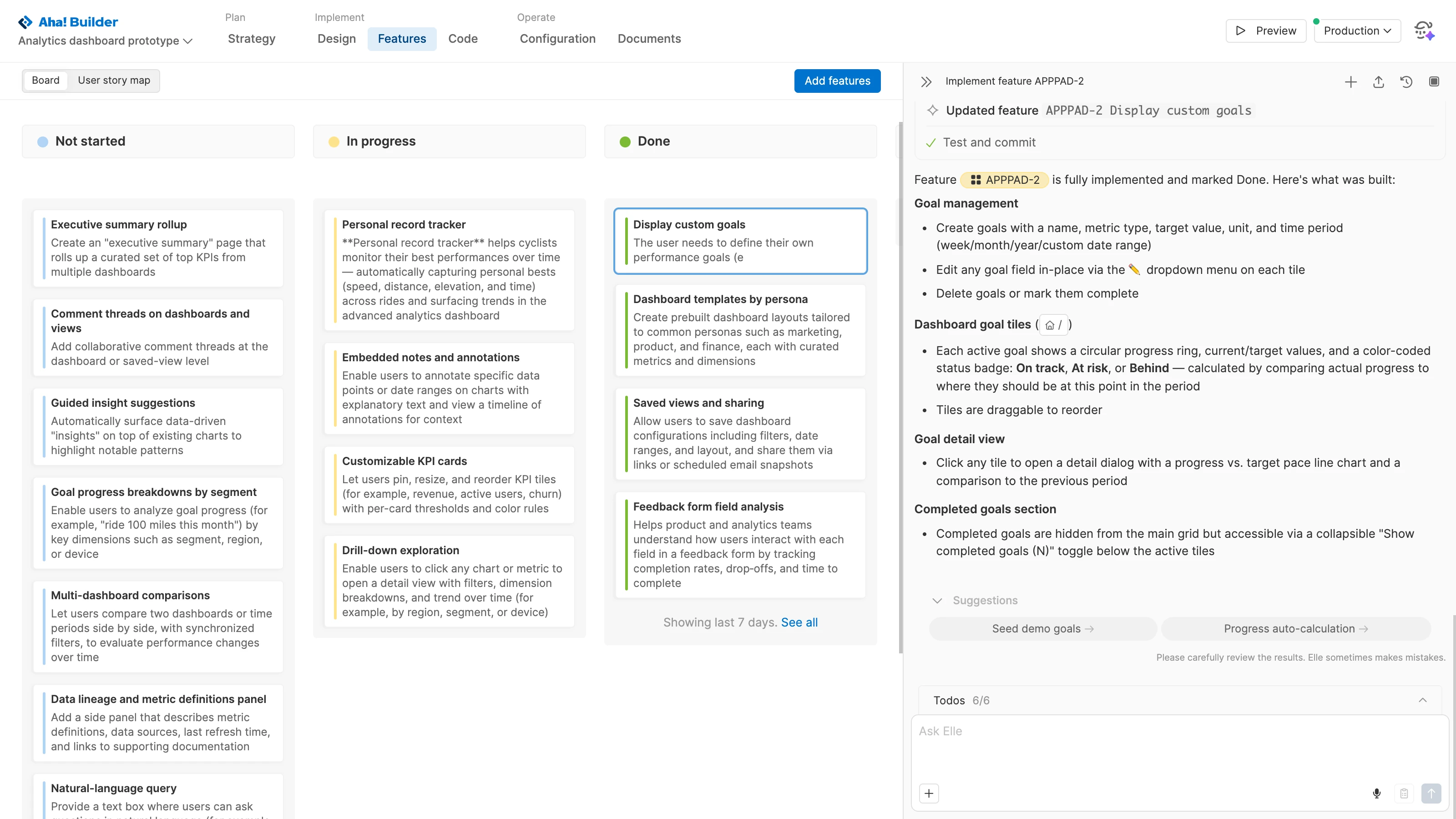
Manage the implementation of new features. Review the backlog of items you have not started and place them in priority order. When you are ready, click the Build button. Watch as Elle gets to work, automatically moving features from in progress to done. Review the updates, making additional changes as needed.